

Die 4. N-Gabe in Getreide erfolgt Online nach Regelfunktion des Softwaremoduls "N-Düngung" in der Precision Farming Box.
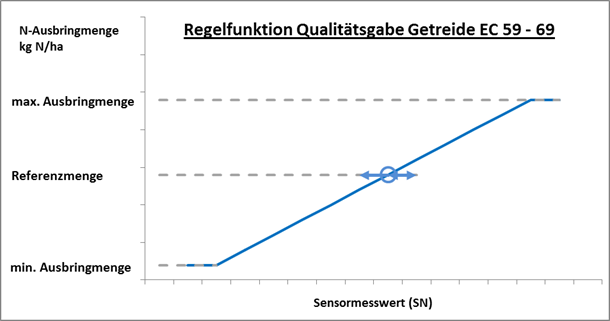
Das Regelverhalten des N-Sensors wird bei dieser Applikation umgekehrt! Teilflächen mit niedriger N-Aufnahme erhalten weniger, Teilflächen mit hoher N-Aufnahme erhalten mehr N-Dünger.
3. Importieren Sie die Auftragsliste auf dem Terminal in agriOS über "Import/Export".
4. Starten Sie die PF Box über "Arbeiten".
(weitere Informationen zur Verwendung der PF-Box-Versionen siehe "Herbstscan Getreide")
Bei Eingabe der Agronomischen Kalibrierung auf dem Bedienterminal führen Sie bitte für jeden Auftrag die folgenden Schritte durch:
-
Bestimmen Sie die durchschnittlich zu düngende N-Menge (nach Züchterempfehlung, nach N-Testermesswert)
-
Wählen Sie im Bedienterminal "Agronomische Kalibrierung"
-
Vorgabe von Fruchtart, EC-Stadium, N-Gehalt, Min. Rate, Max. Rate, konstant (∅ N-Düngungsmenge)
-
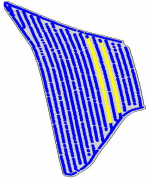
Die "Kalibrierung am Feld" muss als Fahrspurkalibrierung durchgeführt werden (1 - 2 Fahrgassen mit 100 - 150 Messwerten)
-
Ordnen Sie der Kalibrierspur die ∅ N-Düngungsmenge zu (= Referenz)
-
Damit ist die Kalibrierung abgeschlossen
N-Tester zur Orientierung Messungen mit dem N-Tester können Ihnen bis ca. 10 Tage nach dem Ährenschieben noch eine sehr gute Information über den N-Bedarf Ihres Bestandes liefern. An der Messung können Sie ablesen, ob die Züchterempfehlung zur Qualitätsdüngung reduziert, erhöht oder umgesetzt werden sollte. Lesen Sie dazu auch das Beratungsschreiben zur N4 in Getreide.
Nach Abschluss der Applikation senden Sie die Daten an agriPORT
The 4th N-administration in cereals takes place online according to the control function of the software module "N-fertilization" or "Target Rate Application" in the Precision Farming Box.
The control behavior of the N sensor is reversed in this application! Partial areas with low N uptake receive less, partial areas with high N uptake receive more N fertilizer.
3. Import the job list on the terminal in agriOS via "Import / Export".
4. Start the PF Box via "Work".
(For more information on using the PF-Box versions, see "Autumn scan grain")
When entering the agronomic calibration on the operator terminal, please carry out the following steps for each order:
-
Determine the average amount of N to be fertilized (according to breeder's recommendation, according to N-tester measurement)
-
Select "Agronomic calibration" in the operator terminal.
-
Specification of fruit type, EC stage, N content, min. Rate, max. Rate, constant (∅ N fertilization amount)
-
The "field calibration" must be carried out as a lane calibration (1 - 2 tramlines with 100 - 150 measured values)
-
Assign the ∅ N fertilization quantity to the calibration track (= reference)
-
The calibration is now complete.
N testers for orientation Measurements with the N tester can still provide you with very good information about the N requirements of your crop up to about 10 days after the ears are pushed. From the measurement you can see whether the breeder's recommendation for quality fertilization should be reduced, increased or implemented. Also read the advisory letter on the N4 in cereals.
-
Select "Agronomic calibration" in the operator terminal.
-
Specification of fruit type, EC stage, N content, min. Rate, max. Rate, target value (= ∅ N fertilization amount)
-
Specification of biomass threshold (Attention, no absolute values, we recommend leaving the default setting of "50%" instead)
-
The calibration is now complete.
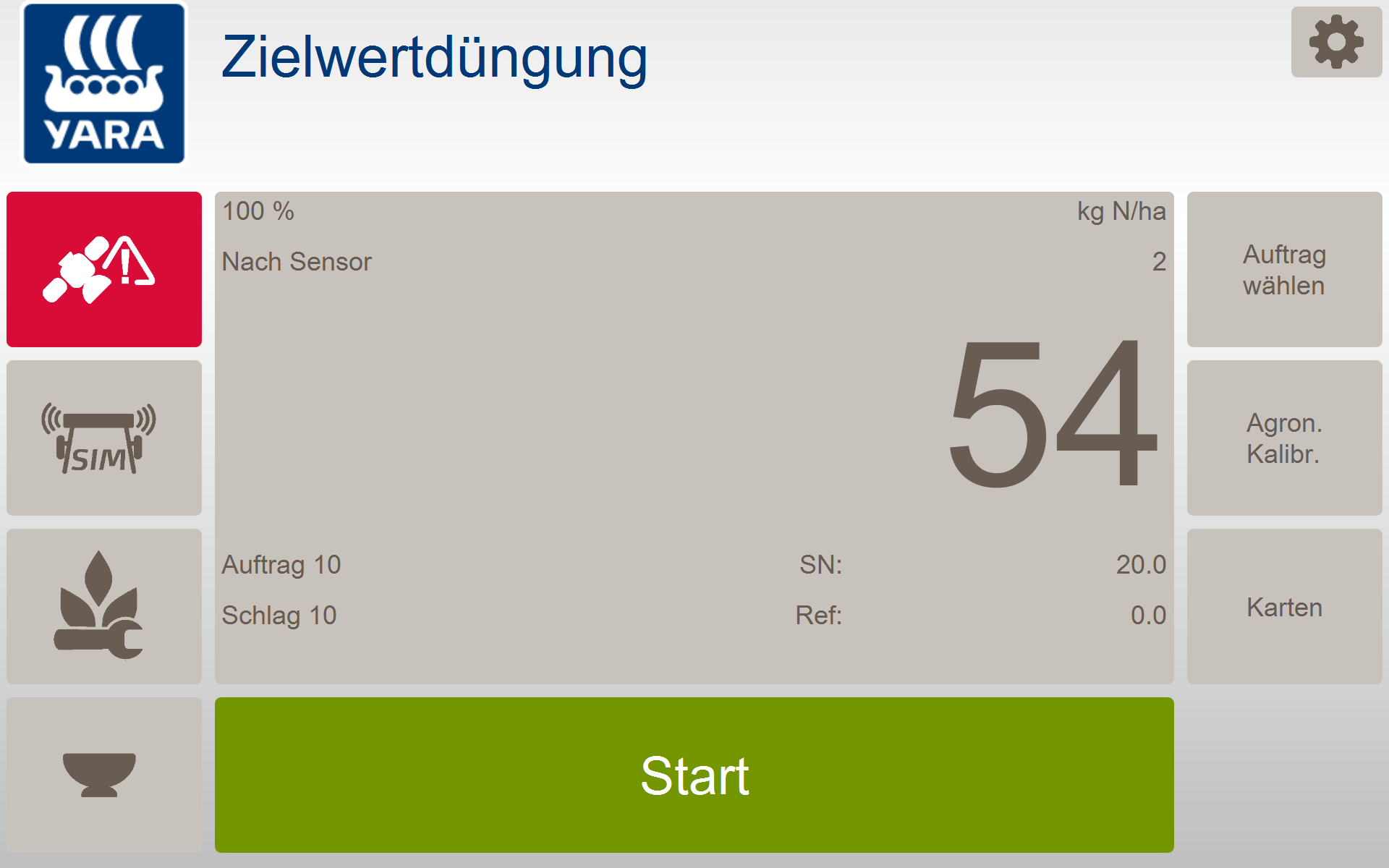
A "calibration on the field" is not carried out. Instead, you can start fertilizing immediately. During the application, the N sensor recalibrates itself continuously and calculates an average N exposure (= "Ref." In the work screen). This is then assigned the reference quantity (the "target value").
After completing the application, send the data to agriPORT