

Erstellen Sie in agriPORT eine Auftragsliste mit den zu behandelnden Schlägen.
Nach Vorgabe von Fruchtart und EC-Stadium erhalten Sie eine Auswahl an Mitteln, welche laut BVL-Liste in der jeweiligen Fruchtart und dem angegebenen EC-Stadium zugelassen sind. Maximale Aufwandmengen sind hinterlegt. Sie können bis zu 6 Mittel kombinieren.
Geben Sie im Auftragsmanagement die gefragten Parameter an.
Senden Sie die Daten abschließend an Ihr Terminal. Möglich sind der Datenversand per E-Mail oder per USB-Stick.
Überdosierungen müssen vermieden werden. Die zulässige Aufwandmenge PSM darf auch bei Applikation der maximalen Wassermenge nicht überschritten werden. Deshalb wird bei Ausgabe der Empfehlung automatisch berechnet, wie hoch die Aufwandmenge PSM bei maximaler Wassermenge ausfällt. Diese kann nicht überschritten werden.
Entspricht dies nicht Ihren Vorstellungen, müssen Sie den Regelbereich der Spritze entsprechend erhöhen. Beachten Sie dabei jedoch immer, dass Sie auch bei Wasser min und max ein ordentliches Spritzbild erzeugen.
Die Erstellung einer Auftragsliste in agriPORT ist nicht zwingend erforderlich. Grundsätzlich können Sie alle Einstellungen der agronomischen Kalibrierung auch auf dem Terminal eingeben.
-
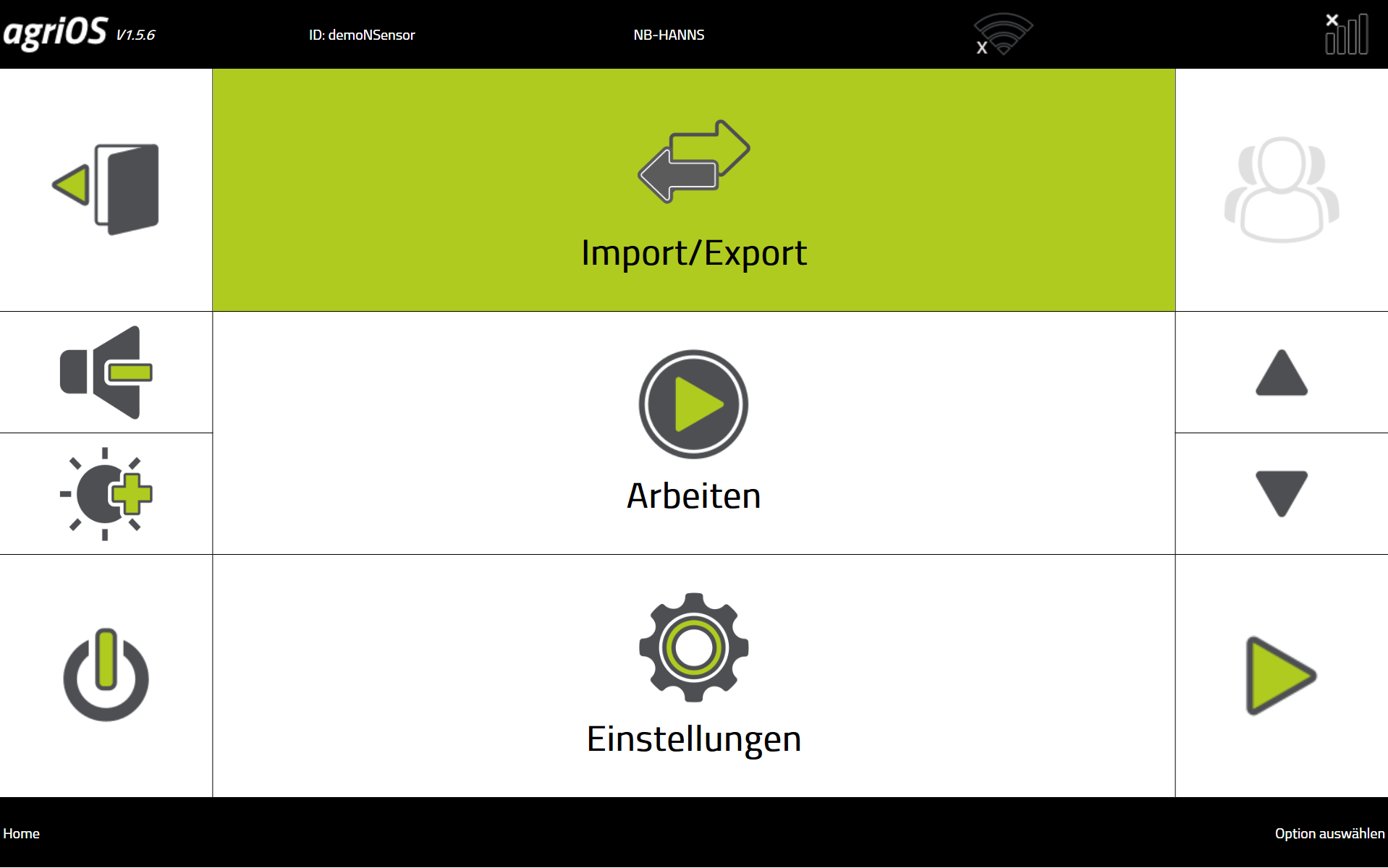
Importieren Sie die Daten auf Ihrem Terminal. Achten Sie darauf, dass Sie das richtige Import-Format ("PF-Box agriPORT" oder "PF-Box USB") gewählt haben.
-
Drücken Sie "Arbeiten", wählen Sie die importierte Auftragsliste und Drücken Sie "Programm starten".
-
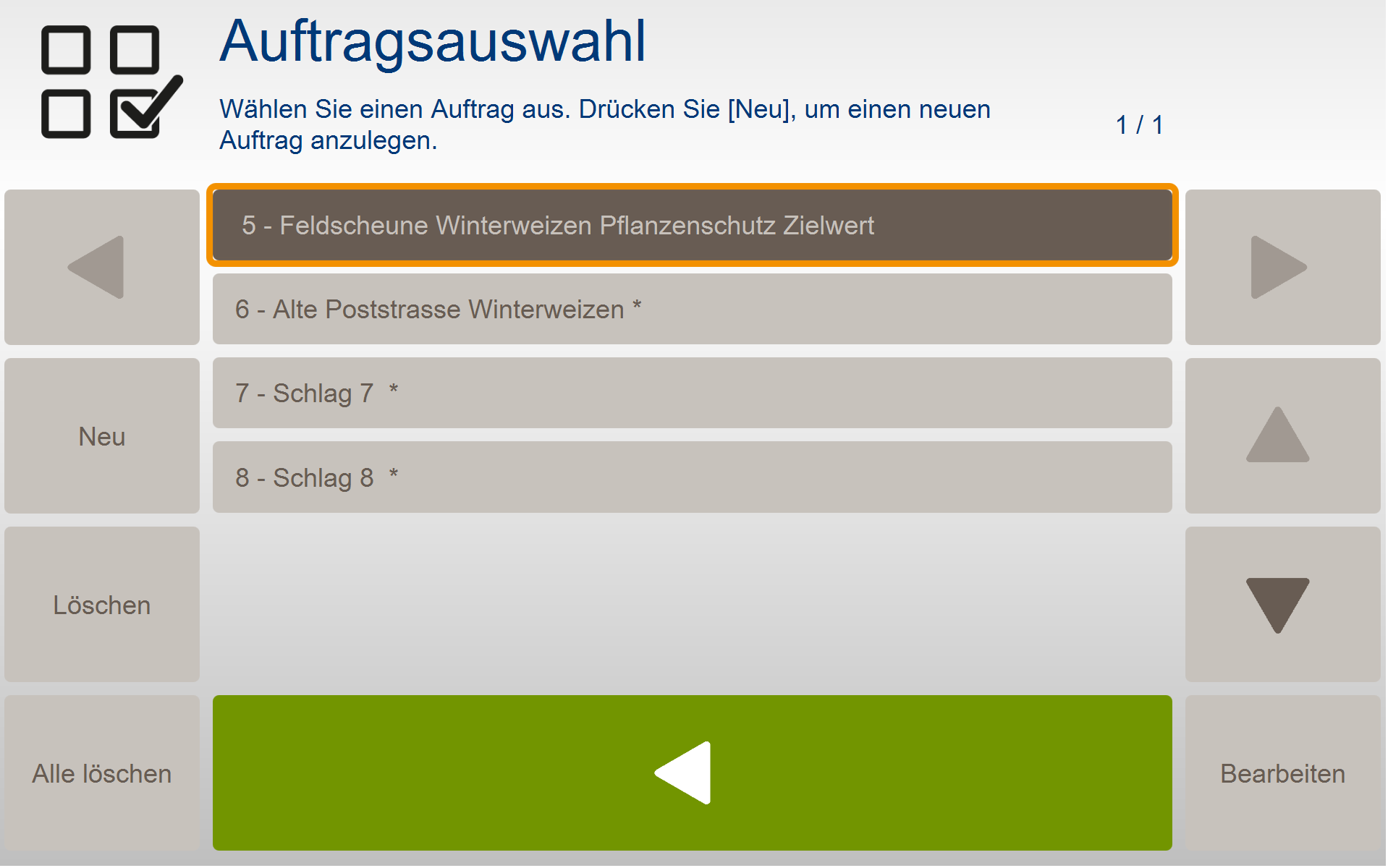
In der PF Box drücken Sie "Auftrag wählen" und markieren Sie den gewünschten Schlag. Wechseln Sie über die grüne Taste zurück in das Arbeitsmenü.
.png?cb=4dfcfa675dd17a590922c418063a2754)
Die richtige SW-Version wählen Das Modul Pflanzenschutz Absolut ist erst ab der PF-Box Version V4.5 verfügbar. In älteren Versionen kann dieses Modul nicht ausgewählt werden.
Sie haben nun im nächsten Schritt die Wahl, mit
3.1 vorbereiteten Aufträgen aus dem Auftragsmanagement von agriPORT oder
3.2 mit leeren Aufträgen mit Eingaben auf dem Terminal
zu arbeiten.
In agriPORT, create an order list with the fields to be treated.
Depending on the type of fruit and EC stage, you will receive a selection of agents that are approved in the BVL list for the respective fruit type and the specified EC stage. Maximum application rates are stored. You can combine up to 12 remedies.
Furthermore, enter the control range of the syringe and the target value (average application rate PSM).
Then send the data to your terminal. Data can be sent via email or via USB stick.

If this does not meet your expectations, you must increase the control range of the syringe accordingly.
The creation of an order list in agriPORT is not absolutely necessary. In principle, you can also enter all agronomic calibration settings on the terminal.
-
Import the data on your terminal. Make sure that you have selected the correct import format ("PF-Box agriPORT" or "PF-Box USB").
-
Press "Work", select the imported job list and press "Start program".
-
Press "Select order" and mark the desired field. Switch back to the work menu with the green button.
You now have the choice in the next step, with
3.1 prepared orders from the order management of agriPORT or
3.2 with empty orders with entries on the terminal
to work.