

-
Die Herbstanwendung im Raps erfolgt Online nach Regelfunktionen des Softwaremoduls "Wachstumsregler Raps" in der Precision Farming Anwendung PF Box (Version 3 oder 4)
-
Teilflächen mit niedriger N-Aufnahme erhalten weniger, Teilflächen mit hoher N-Aufnahme erhalten mehr Wachstumsregler/Fungizide
-
Optimaler Zeitpunkt der Applikation liegt im Bereich EC 14 - 16
1.1 Erstellen Sie im Auftragsmanagement von agriPORT eine Liste mit allen zu behandelnden Rapsschlägen:
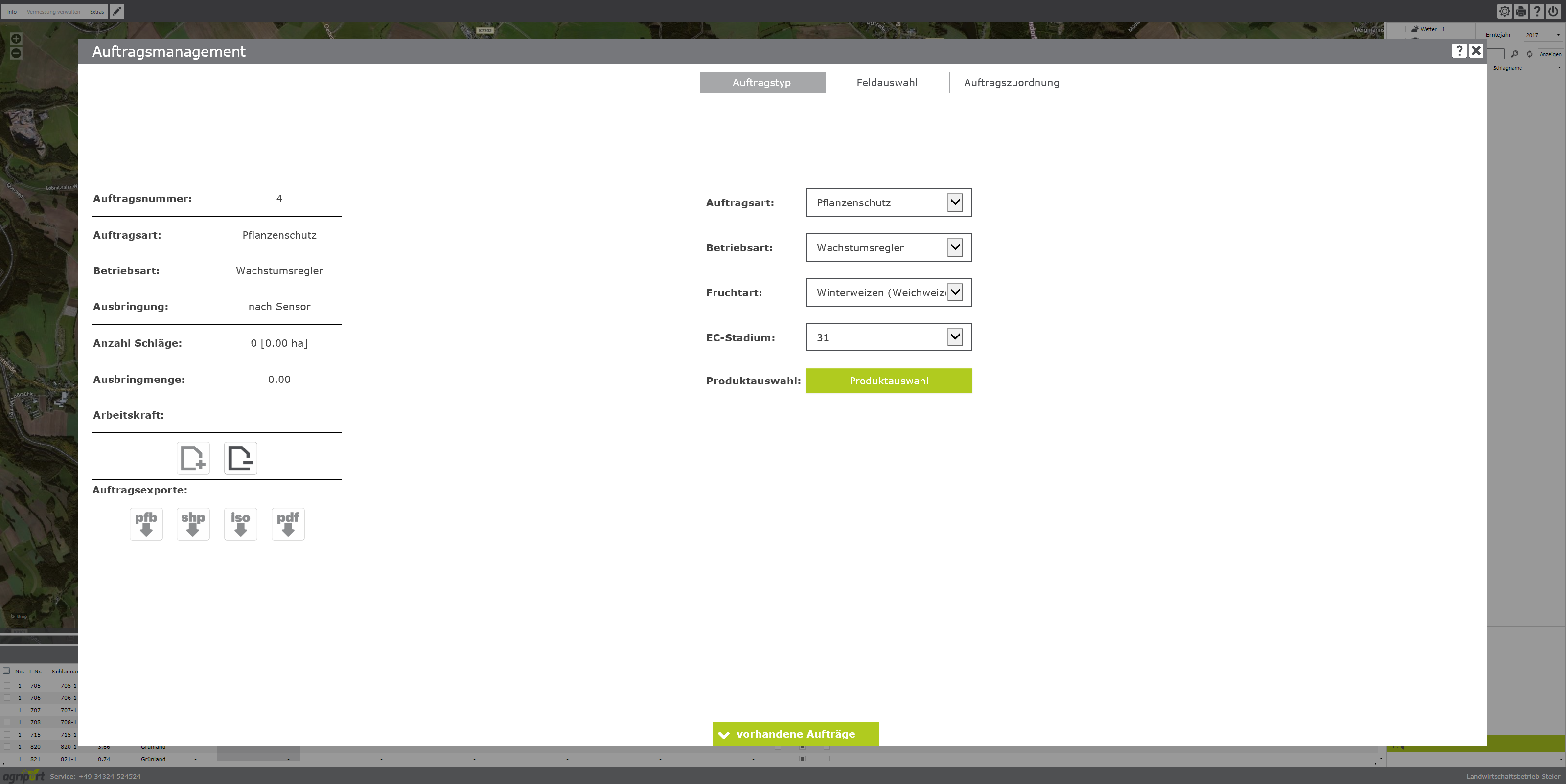
1.2 Exportieren Sie die Liste per Email oder USB-Stick und lesen Sie diese im Bedienterminal des Sensors ein:
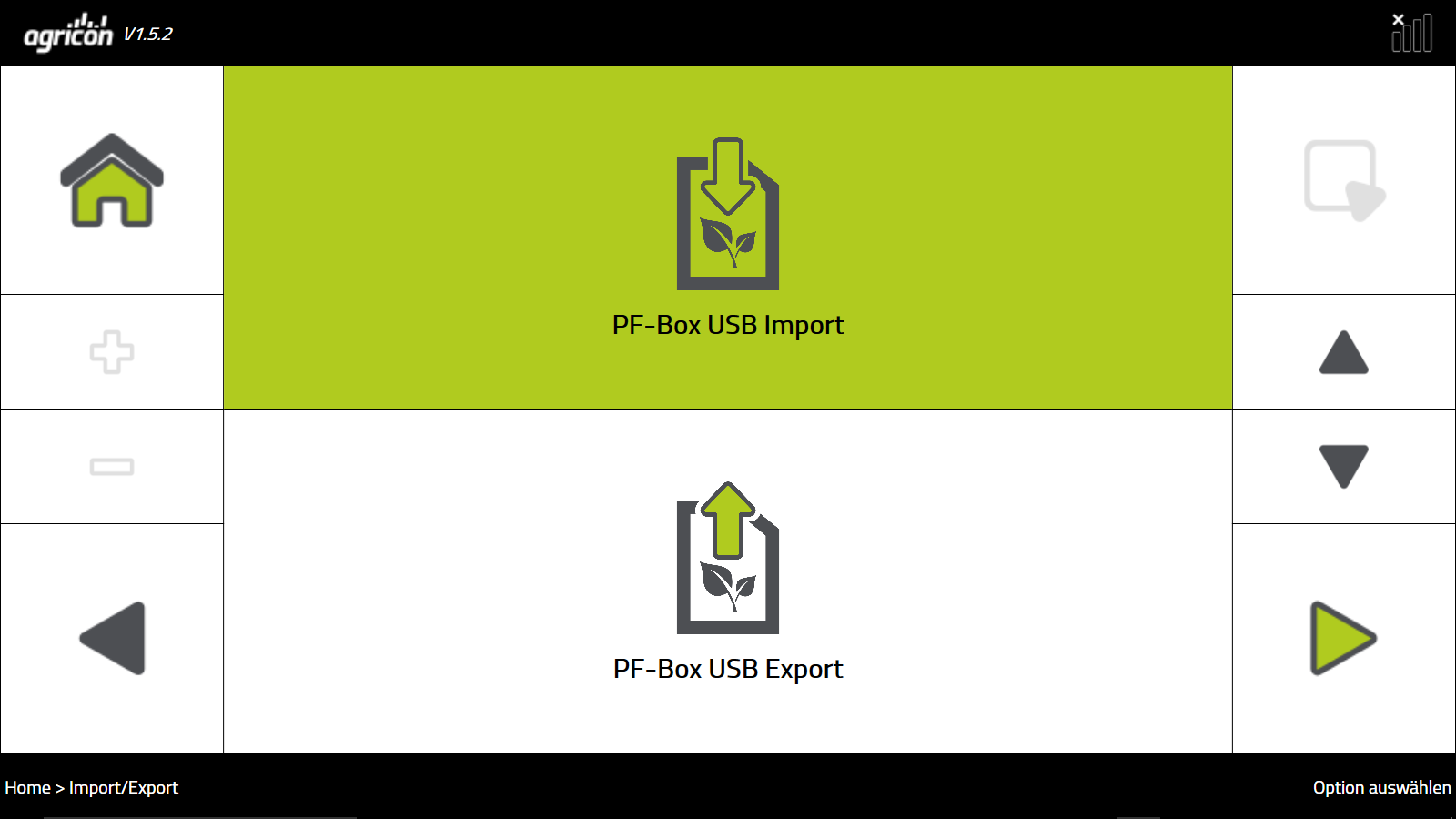
1.3 Wählen Sie auf dem Terminal das Softwaremodul "Wachstumsregler Raps" aus:
.png?cb=70e9556d26c14d74d87ca5e1f517d313)
1.4 Wählen Sie in der PF Box vor Beginn der Behandlung den jeweiligen Schlag unter "Auftrag" aus:
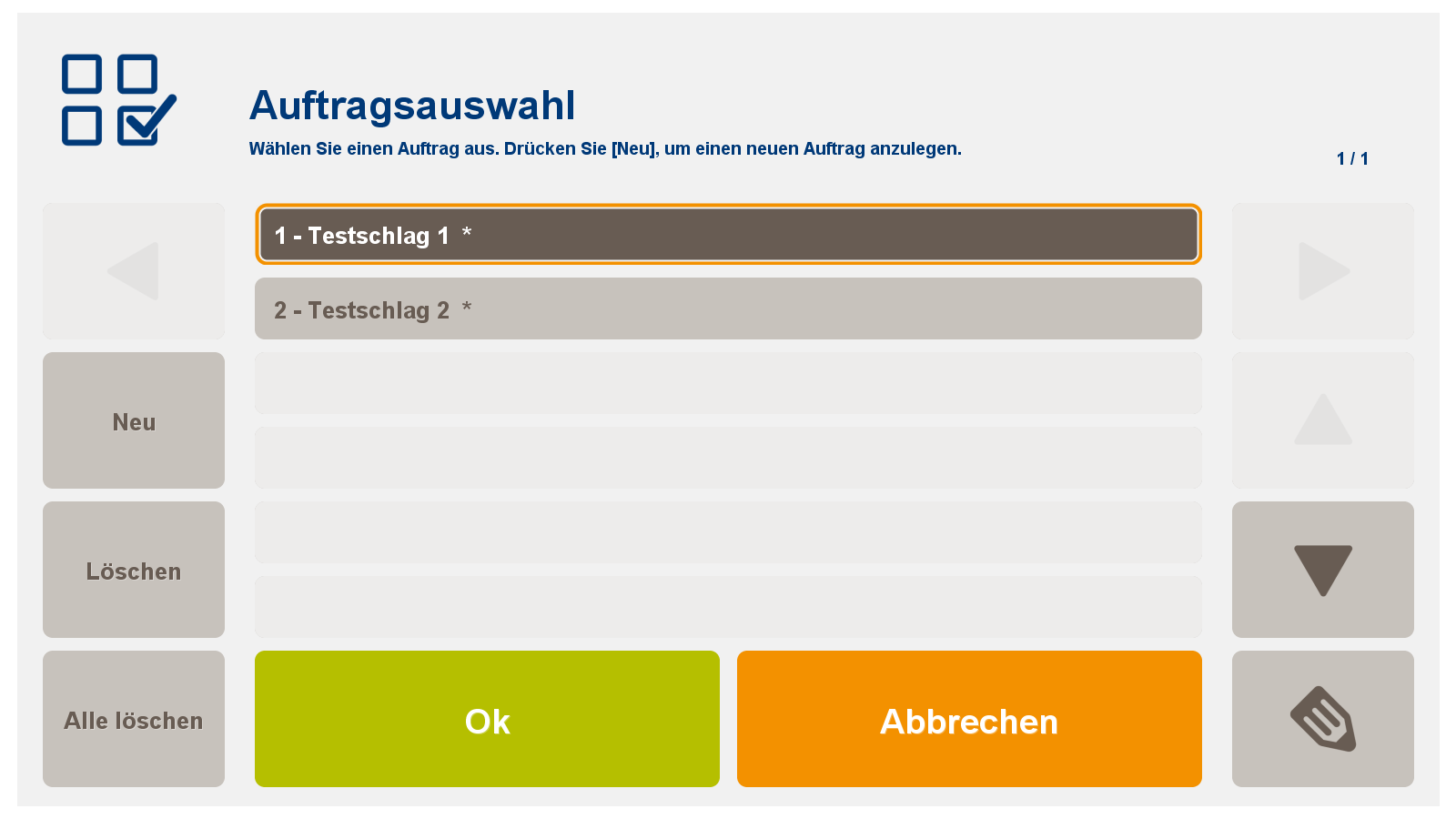
Für das Softwaremodul: Wachstumsregler Raps
2.1 Geben Sie für die agronomische Kalibrierung folgende Daten ein:
-
Sorte
-
BBCH (EC-Stadium)
-
Wasserversorgung
-
Winter
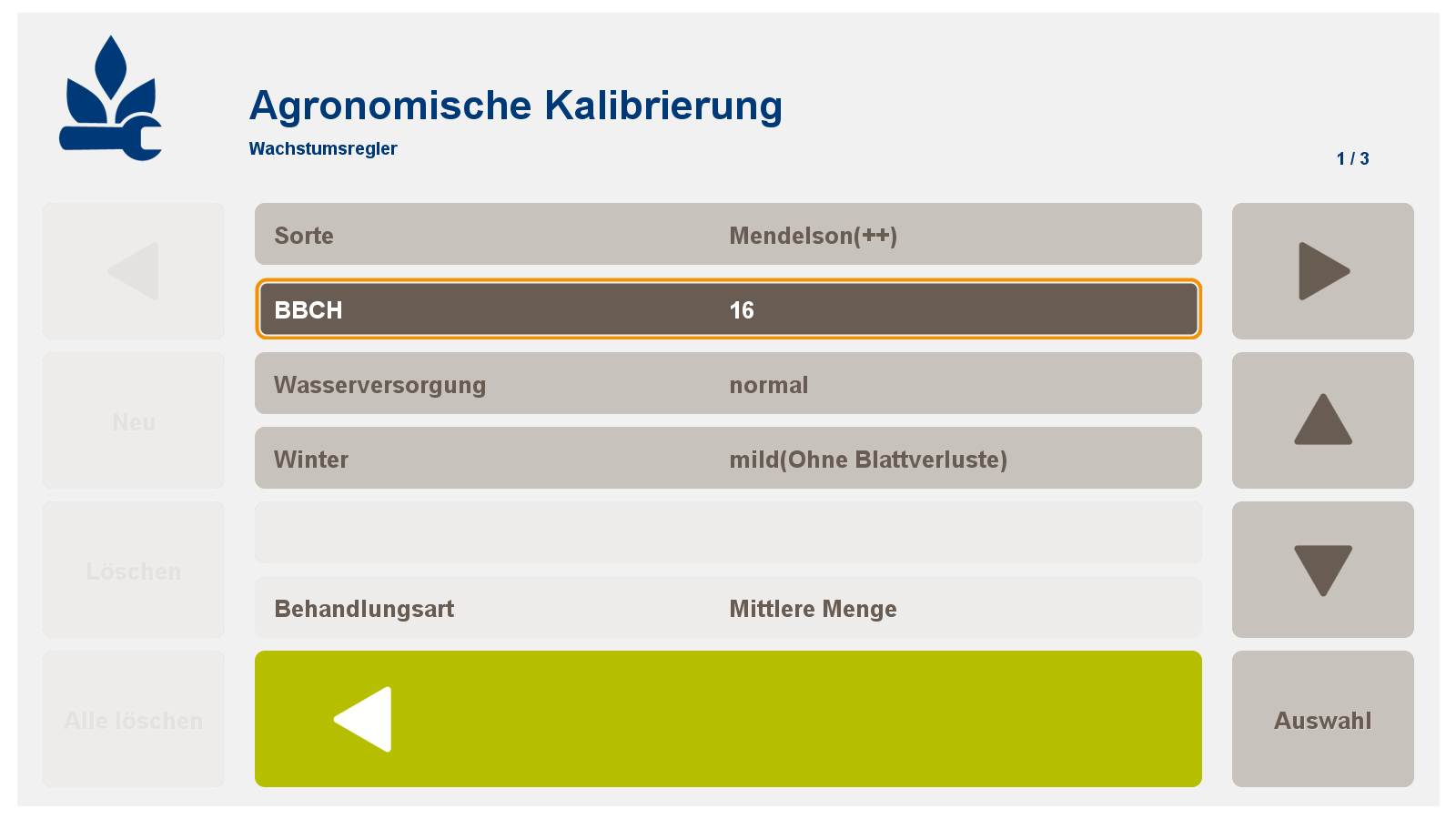

2.2 Auswahl eines Mittels oder einer Mischung
-
Wenn notwendig: N-Düngung mit Sensor ja/nein, Anpassung der max. Dosis, Anpassung der Minimaldosierung
-
Bei Zugabe von bspw. Fungiziden: Auswahlfeld "auf 0 abregeln" mit "Nein" auswählen
.png?cb=1cf7bb358e92d015884e87c061b1945b)
2.3 Angabe der MAX/MIN/KONSTANT-Mengen der Spritzbrühe
.png?cb=a5a974a5d2f26c5e7a00acdcf0bdf670)
Damit ist die Kalibrierung abgeschlossen!!
-
The autumn application in oilseed rape takes place online according to the control functions of the software module "growth regulator rapeseed" in the Precision Farming application PF Box (version 3 or 4)
-
Particles with low N uptake receive less, partitions with high N uptake receive more growth regulators / fungicides
-
Optimal application time is in the range EC 14 - 16
1.1 In agriPORT's order management, create a list of all rapeseed batches to be treated:
1.2 Export the list by e-mail or USB stick and read them in the sensor's operating terminal:
1.3 Select the software module "Rape growth controller" on the terminal:
1.4 In the PF Box, select the respective beat under "Order" before beginning the treatment:
For the software module: Rape Growth Controller
2.1 Enter the following data for the agronomic calibration:
-
variety
-
BBCH (EC stage)
-
water supply
-
winter
Important note: For autumn treatments, please select "mild (without leaf loss)" for the "Winter" setting.
2.2 Selection of an agent or mixture
-
If necessary: N fertilization with sensor yes / no, adaptation of the max. Dose, adjustment of the minimum dosage
-
When adding, for example, fungicides: Select the selection field "Decrease to 0" with "No"
Important note: For growth regulators with a fungicidal effect, they select the setting "No to 0" for the "Abort to 0" function.
Important note: In the agronomic calibration, select the menu item "N fertilization with sensor" with "No".
2.3 Specification of the MAX / MIN / KONSTANT quantities of the spray mixture
This completes the calibration !!