

-
Wachstumsreglerbehandlungen in Getreide erfolgen Online nach Regelfunktionen des Softwaremoduls "Wachstumsregler Getreide" in der Precision Farming Anwendung PF Box (Version 3 oder 4).
-
Teilflächen mit niedriger N-Aufnahme erhalten weniger, Teilflächen mit hoher N-Aufnahme erhalten mehr Wachstumsregler.
Für das Softwaremodul: Wachstumsregler Getreide
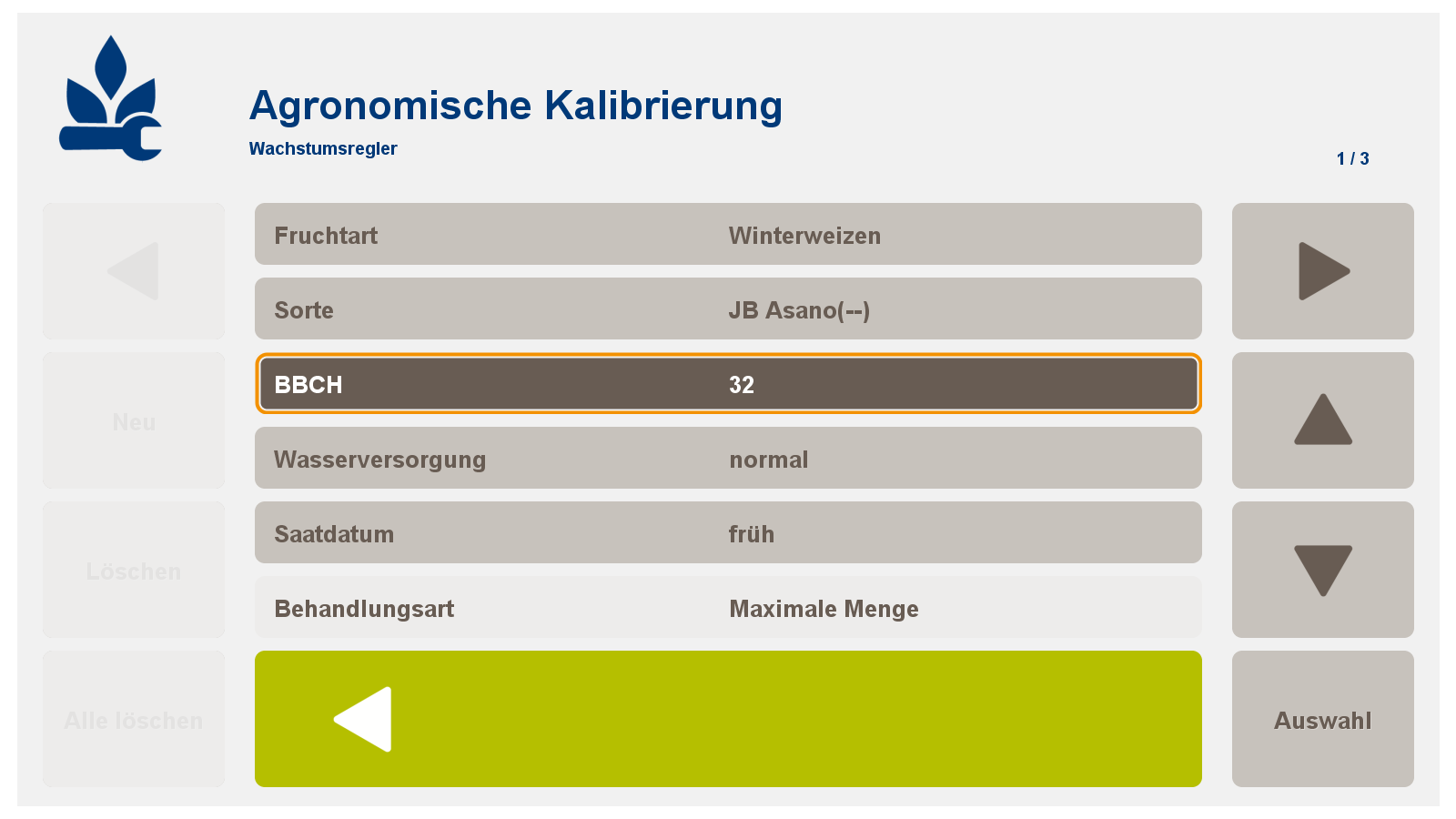
2.1 Geben Sie für die agronomische Kalibrierung folgende Daten ein:
-
Fruchtart
-
Sorte
-
BBCH (EC-Stadium)
-
Wasserversorgung
-
Saatdatum
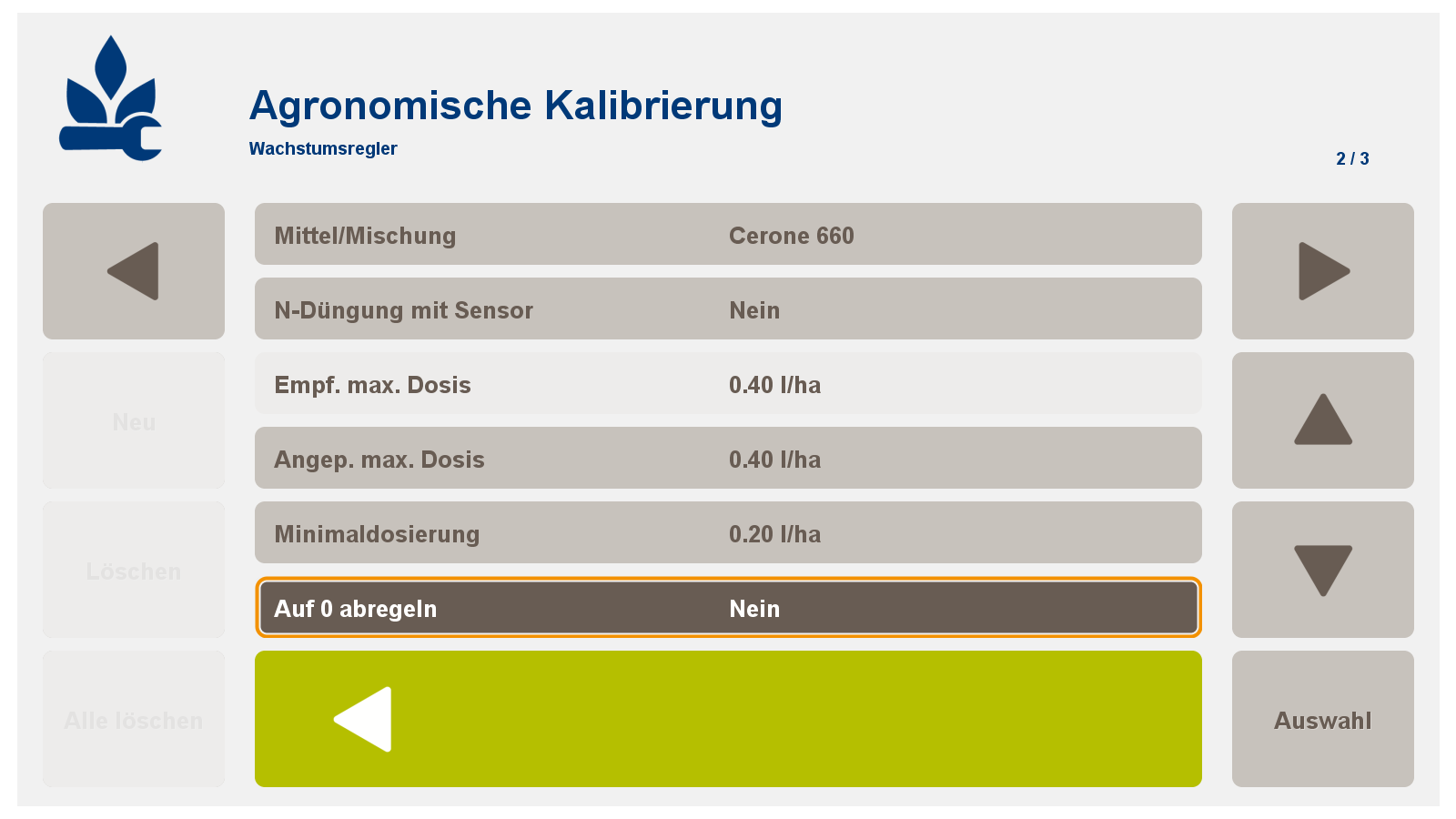
2.2 Auswahl eines Mittels oder einer Mischung
-
Wenn notwendig: N-Düngung mit Sensor ja/nein, Anpassung der max. Dosis, Anpassung der Minimaldosierung
-
Bei Zugabe von bspw. Fungiziden: Auswahlfeld "auf 0 abregeln" mit "Nein" auswählen
2.3 Angabe der MAX/MIN/KONSTANT-Mengen der Spritzbrühe
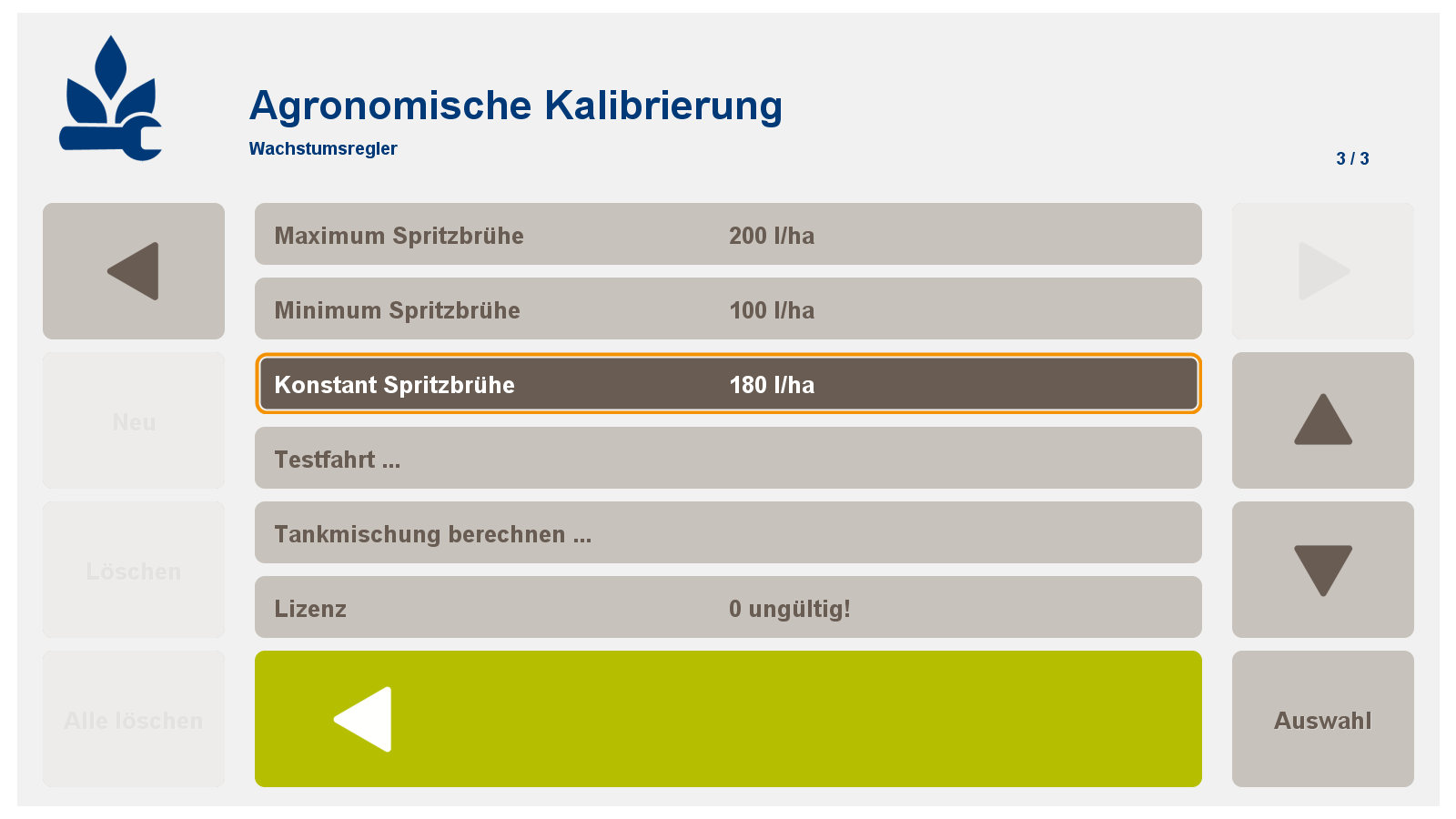

Damit ist die Kalibrierung abgeschlossen!!
-
Growth regulator treatments in cereals take place online according to the control functions of the software module "growth regulator grain" in the Precision Farming application PF Box (version 3 or 4).
-
Partial areas with low N uptake receive less, partial areas with high N uptake receive more growth regulators.
For the software module: growth regulator grain
2.1 Enter the following data for the agronomic calibration:
-
crop
-
variety
-
BBCH (EC stage)
-
water supply
-
Saatdatum
2.2 Selection of an agent or mixture
-
If necessary: N fertilization with sensor yes / no, adaptation of the max. Dose, adjustment of the minimum dosage
-
When adding, for example, fungicides: Select the selection field "Decrease to 0" with "No"
2.3 Specification of the MAX / MIN / KONSTANT quantities of the spray mixture
Important note: If you select "Yes" in the menu item N fertilization with sensor in the agronomic calibration, the rec. Max. Dose reduced by 20%. Only make this setting if, starting with the 2nd nitrogen dose, you are completely variable in fertilizer and consistently use the N-Tester and the N-Monitoring.
This completes the calibration !!