

-
Fungizidbehandlungen im Getreide erfolgen Online nach Regelfunktionen des Softwaremoduls "Fungizide" in der Precision Farming Anwendung PF Box 4.
-
Teilflächen mit niedriger N-Aufnahme erhalten weniger, Teilflächen mit hoher N-Aufnahme erhalten mehr Fungizide.
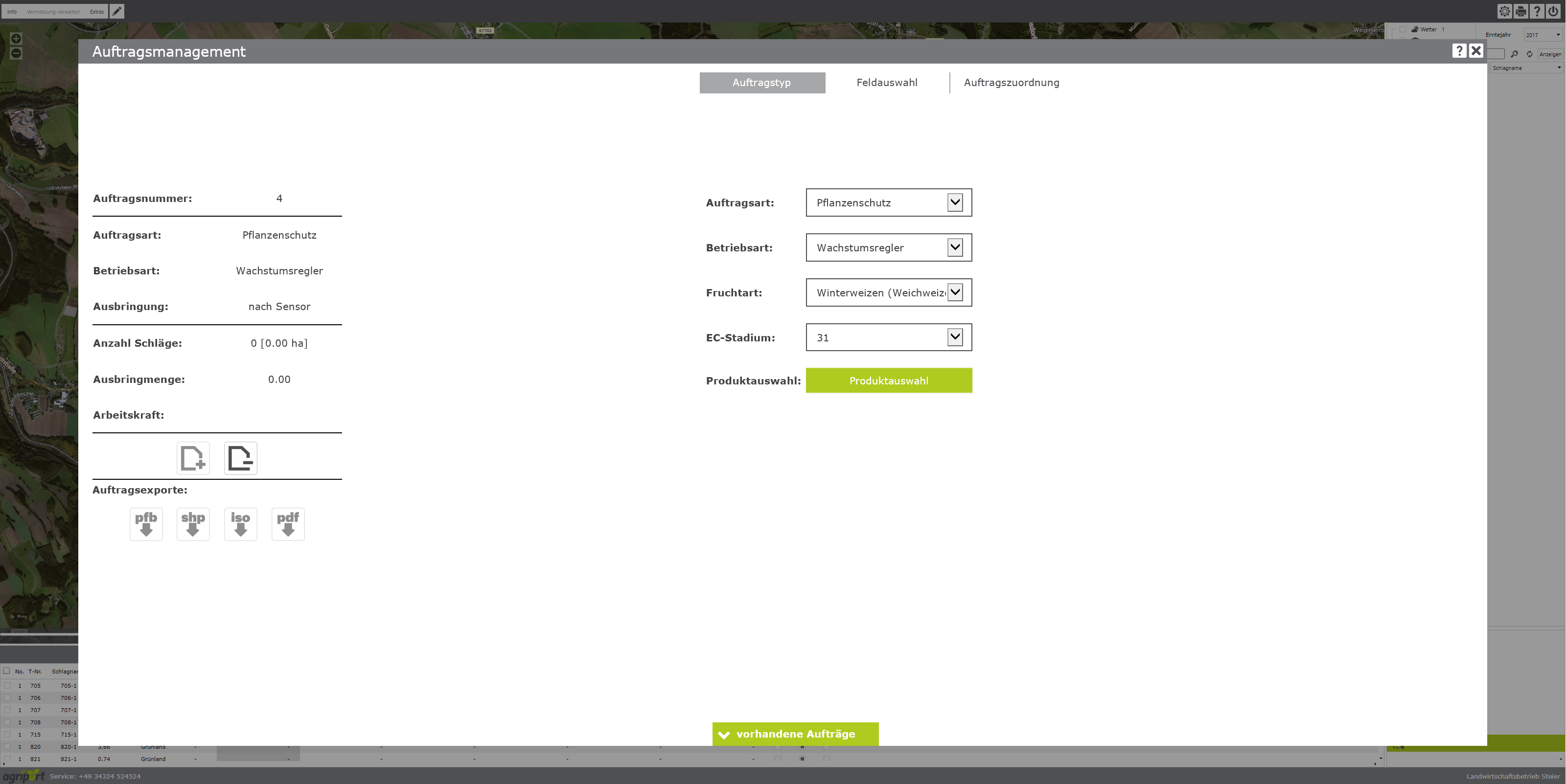
1.1 Erstellen Sie im Auftragsmanagement von agriPORT eine Liste mit allen zu behandelnden Getreideschlägen:
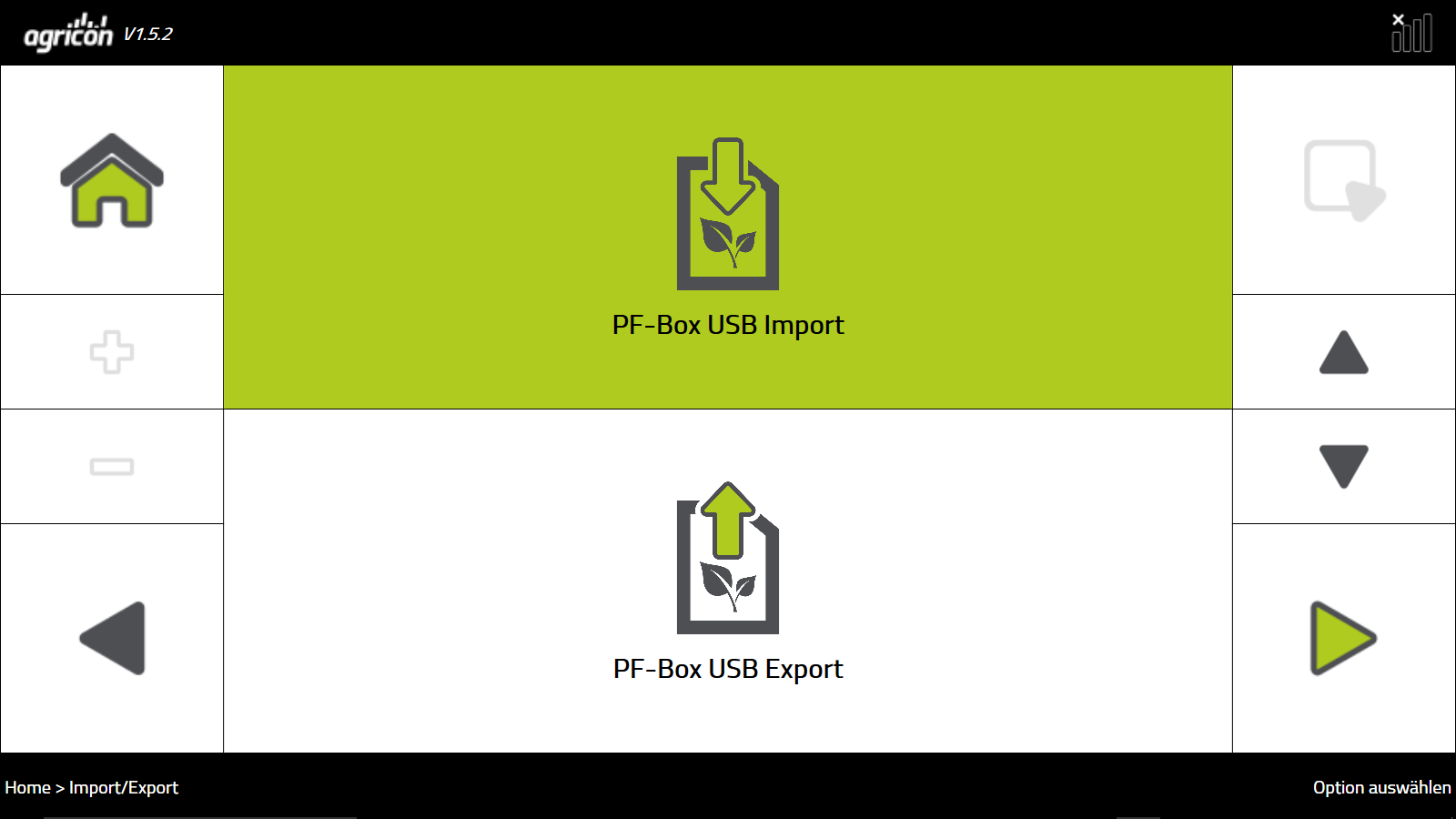
1.2 Exportieren Sie die Liste per email oder USB-Stick und lesen Sie diese im Bedienterminal des Sensors ein:
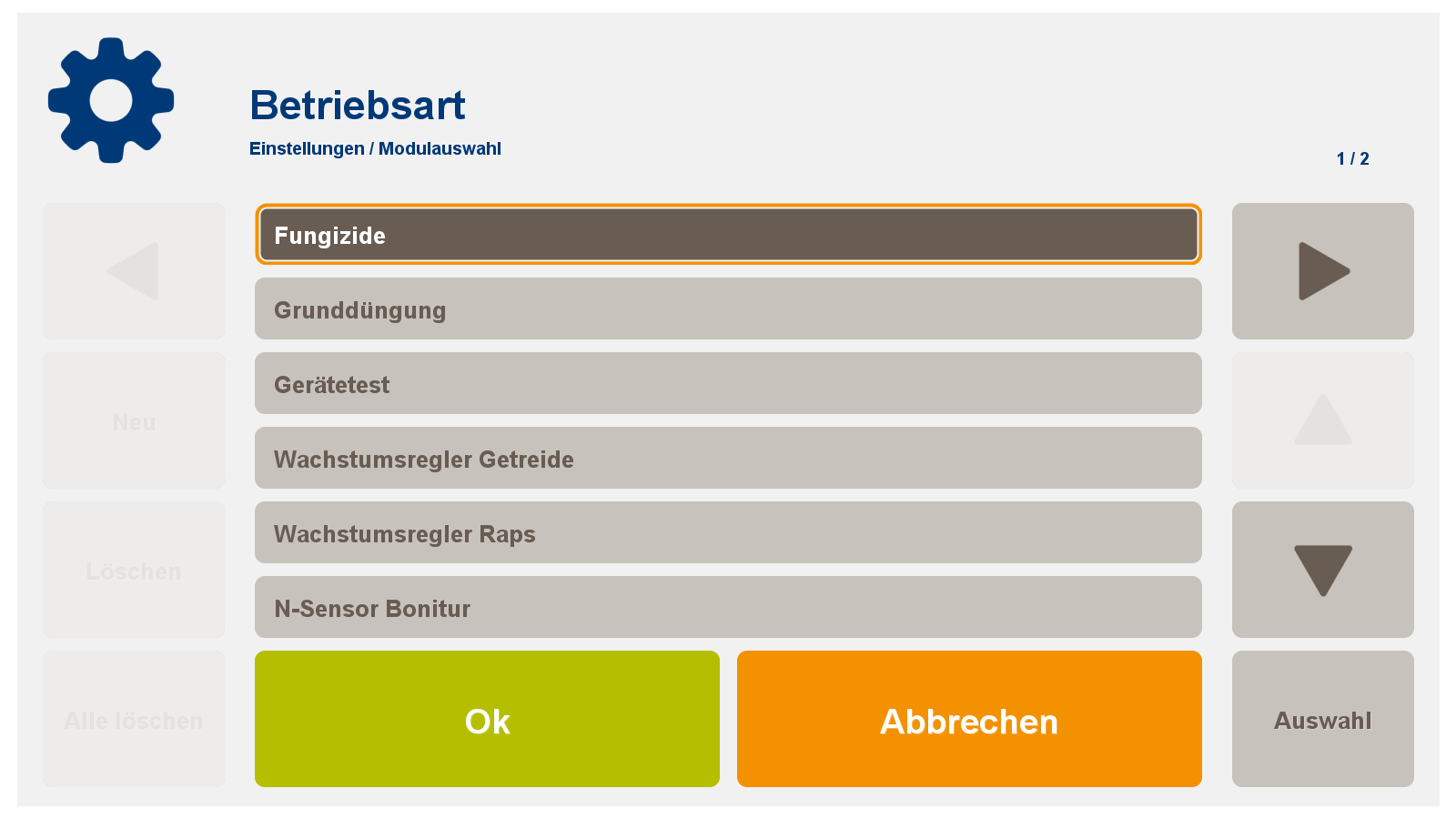
1.3 Wählen Sie auf dem Terminal das Softwaremodul "Fungizide" aus:
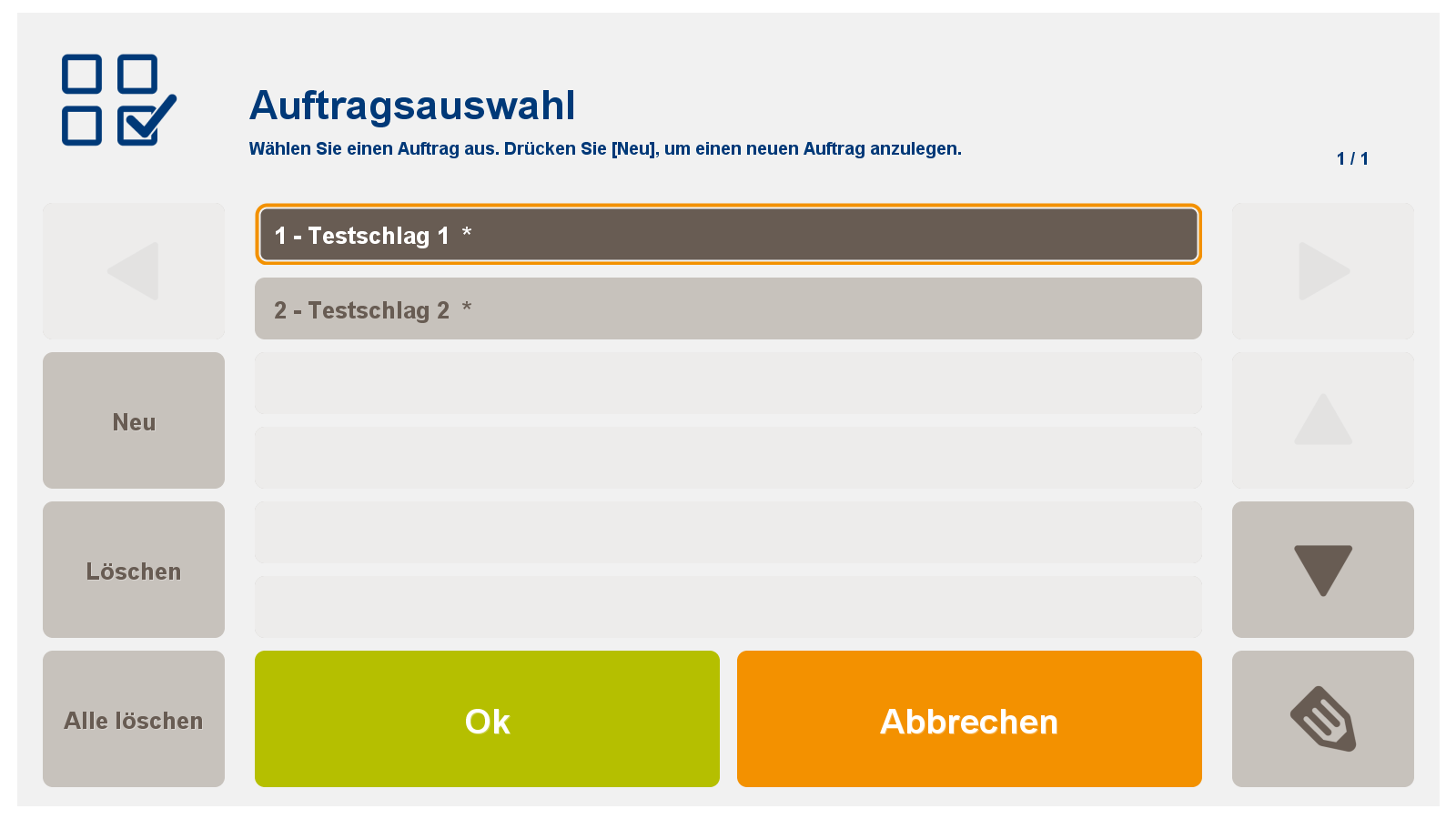
1.4 Wählen Sie in der PF Box vor Beginn der Behandlung den jeweiligen Schlag unter "Auftrag" aus:
Für das Softwaremodul Fungizide
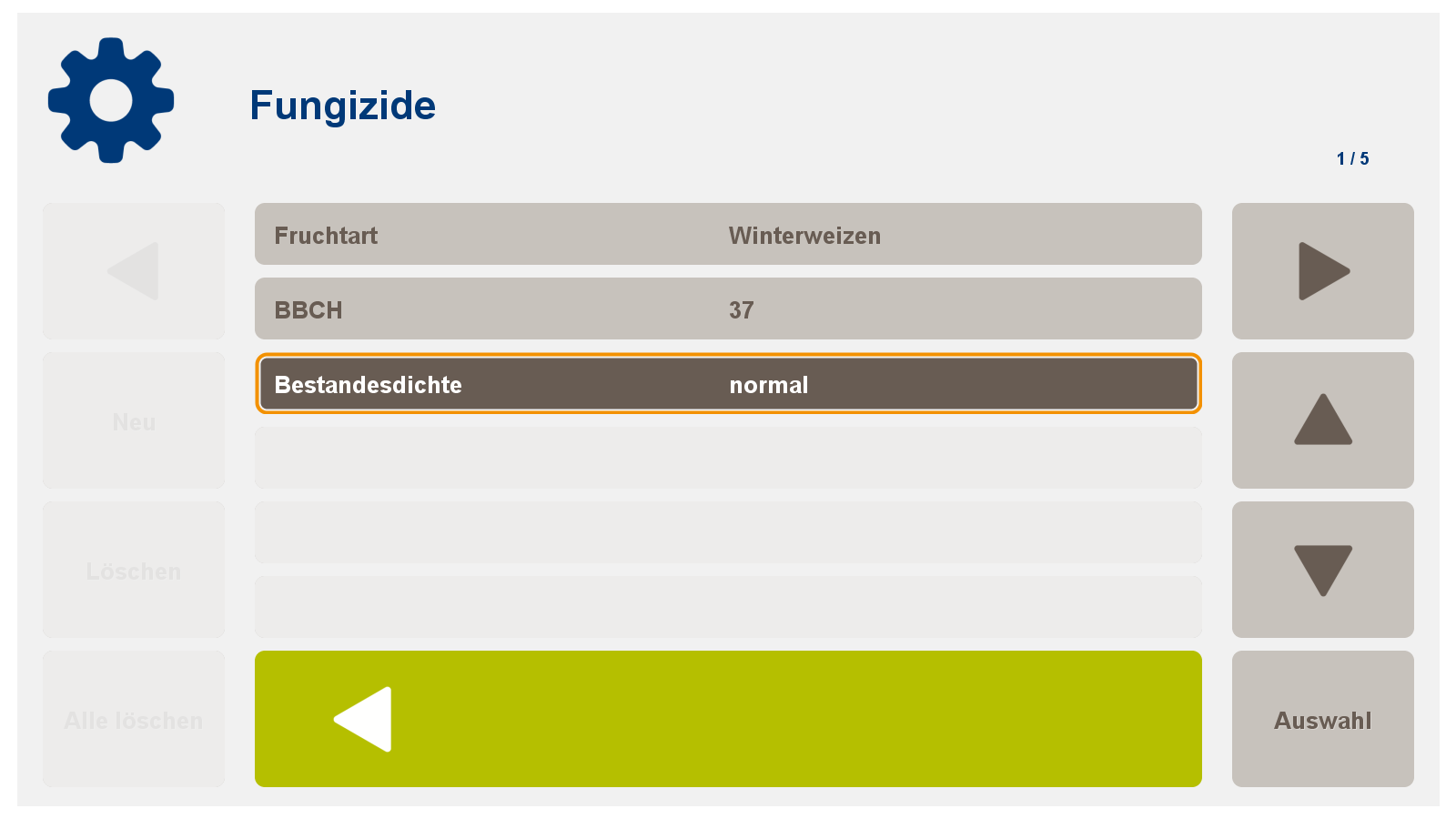
2.1 Geben Sie für die agronomische Kalibrierung folgende Daten ein:
-
Fruchtart
-
BBCH (EC-Stadium)
-
Bestandesdichte

-
gering < 500 Halme/m2
-
normal 500-700 Halme/m2
-
hoch >700 Halme/m2
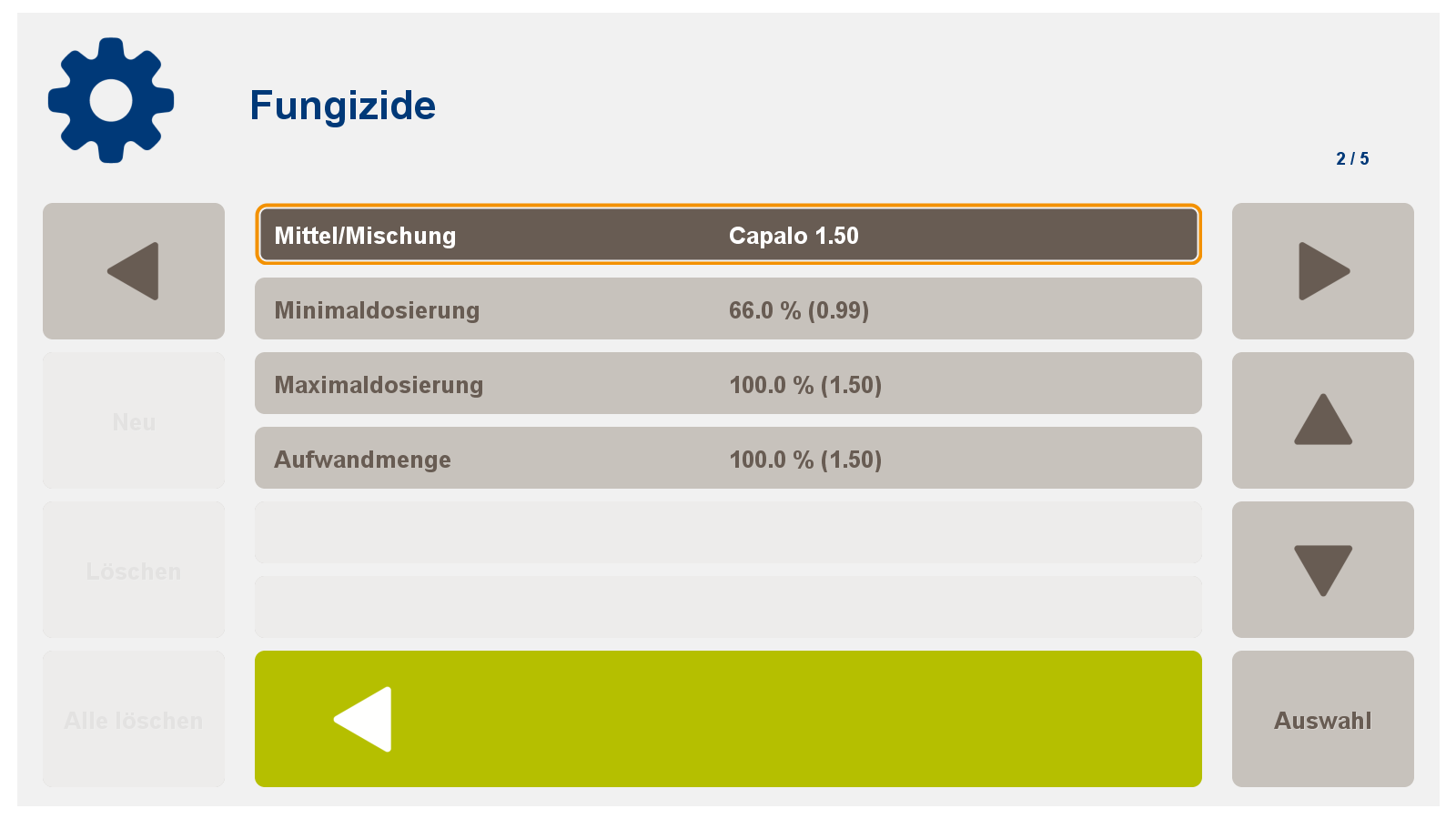
2.2 Auswahl eines Mittels oder einer Mischung
-
Wenn notwendig: Anpassung der Aufwandmenge, Anpassung der Minimaldosierung
2.3 Eingabe von:
-
Maximum Spritzbrühe
-
Konstant Sprritzbrühe
-
Minimum Spritzbrühe
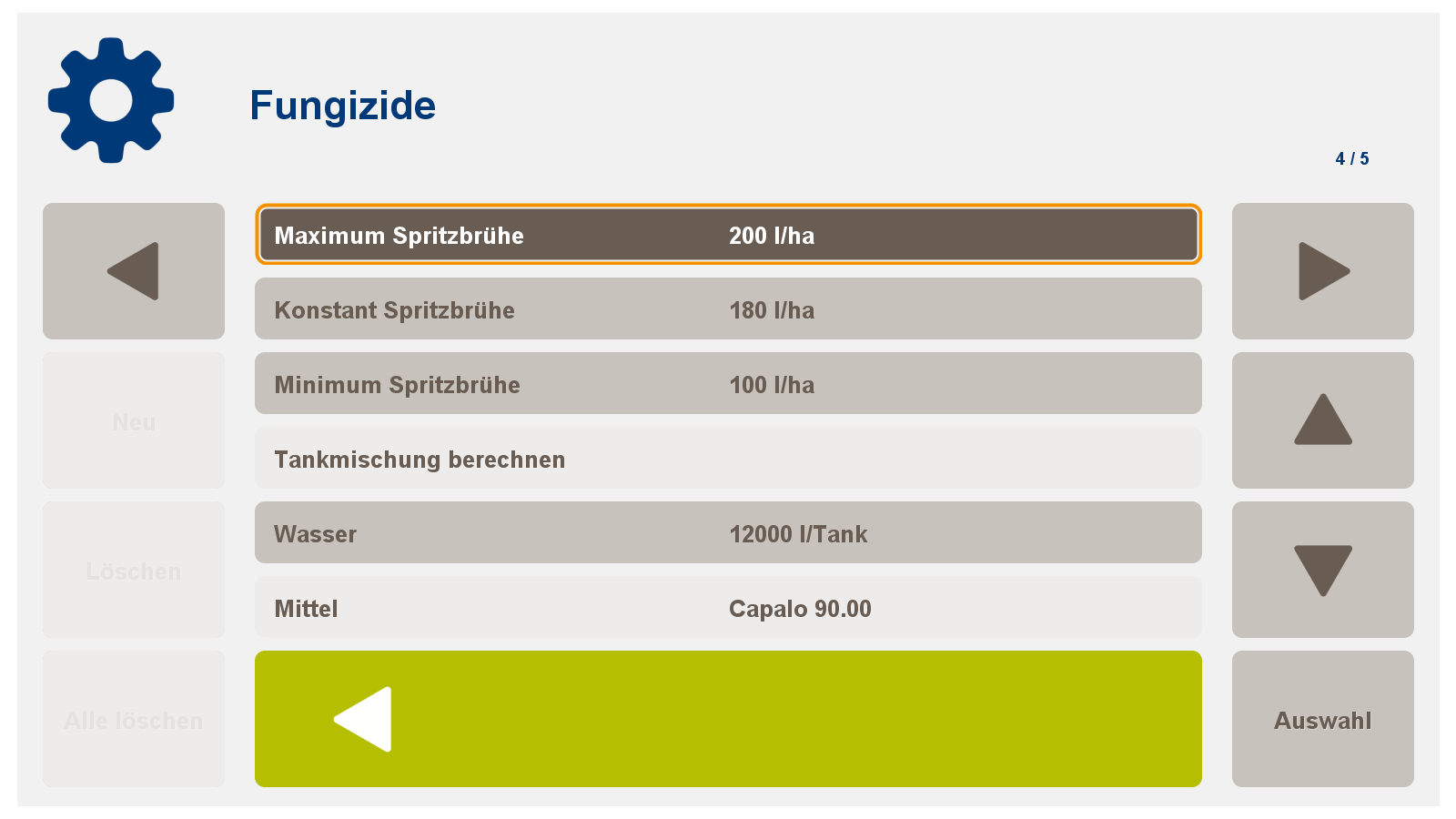
Damit ist die Kalibrierung abgeschlossen!
Nach Abschluss der Applikation haben sie folgende Möglichkeiten:
-
Datenversand per Mobilfunk von ihrem Terminal aus zum agriPORT
-
Export der Daten auf einen USB Stick und manuelles Hochladen im agriPORT
-
Fungicide treatments in cereals are carried out online according to the control functions of the software module "Fungicides" in the Precision Farming application PF Box 4.
-
Subfaces with low N uptake receive less, subfaces with high N uptake receive more fungicides.
1.1 In agriPORT's order management, create a list of all cereals to be treated:
1.2 Export the list by email or USB stick and read it in the operating terminal of the sensor:
1.3 Select the "Fungicides" software module on the terminal:
1.4 In the PF Box, select the respective beat under "Order" before beginning the treatment:
For the software module Fungicides
2.1 Enter the following data for the agronomic calibration:
-
crop
-
BBCH (EC stage)
-
stand density
Important note: Parameters for stock density are:
-
low <500 stalks / m2
-
normally 500-700 straws / m2
-
high> 700 culms / m2
2.2 Selection of an agent or mixture
-
If necessary: adjustment of the application rate, adjustment of the minimum dosage
2.3 Entering:
-
Maximum spray mixture
-
Constant Spritz broth
-
Minimum spray mixture
This completes the calibration!
Nach Abschluss der Applikation haben sie folgende Möglichkeiten:
-
Datenversand per Mobilfunk von ihrem Terminal aus zum agriPORT
-
Export der Daten auf einen USB Stick und manuelles Hochladen im agriPORT