Academy

Arbeiten mit vorbereiteter Auftragsliste


3.1 Applikation - bei vorbereiteter Auftragsliste mit Auftragsspezifischer Kalibrierung
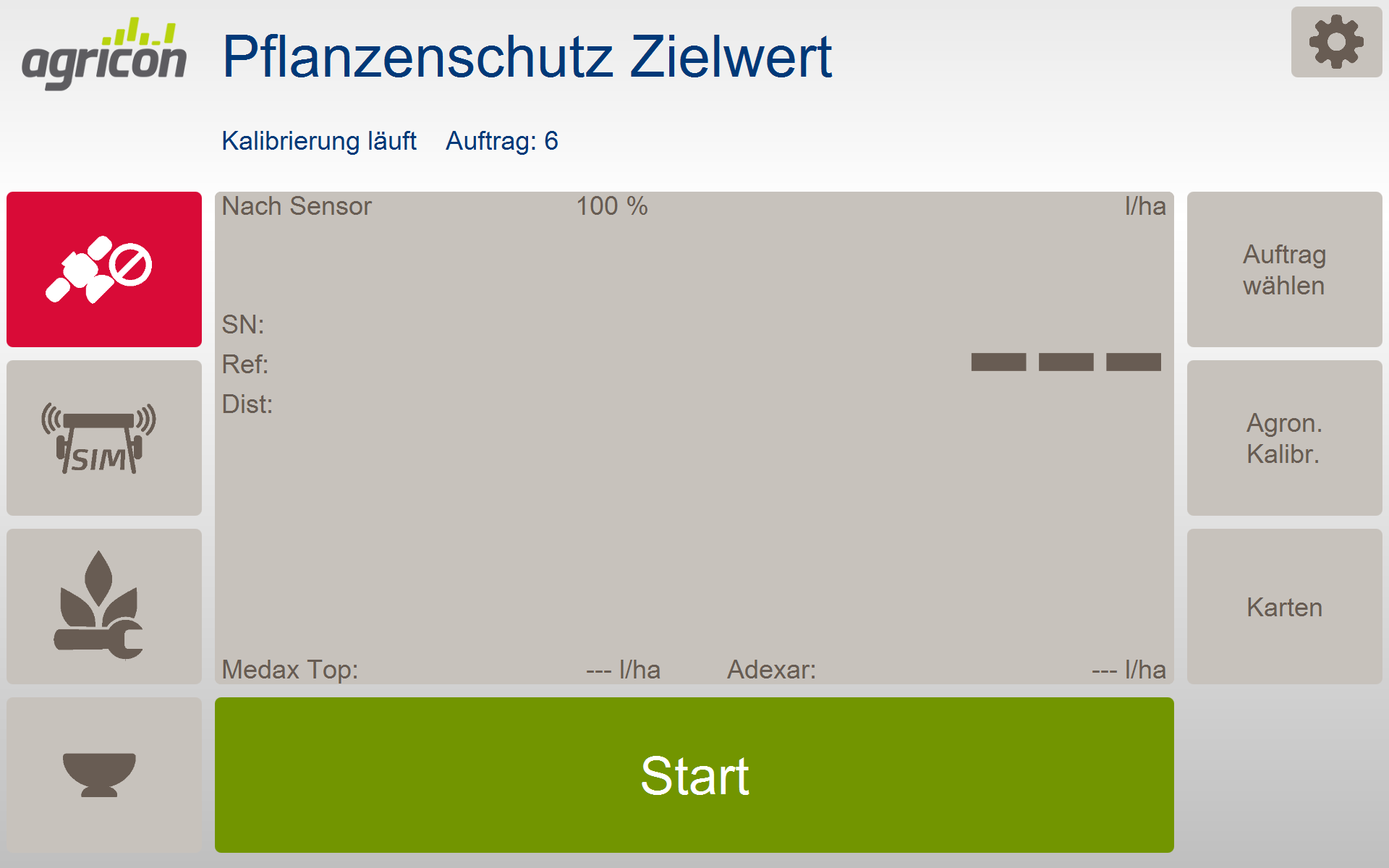
  • Drücken Sie "Agron. Kalibr." und gehen Sie auf Seite 2.
    122PSZ_Startseite mit Kalibrierung.png


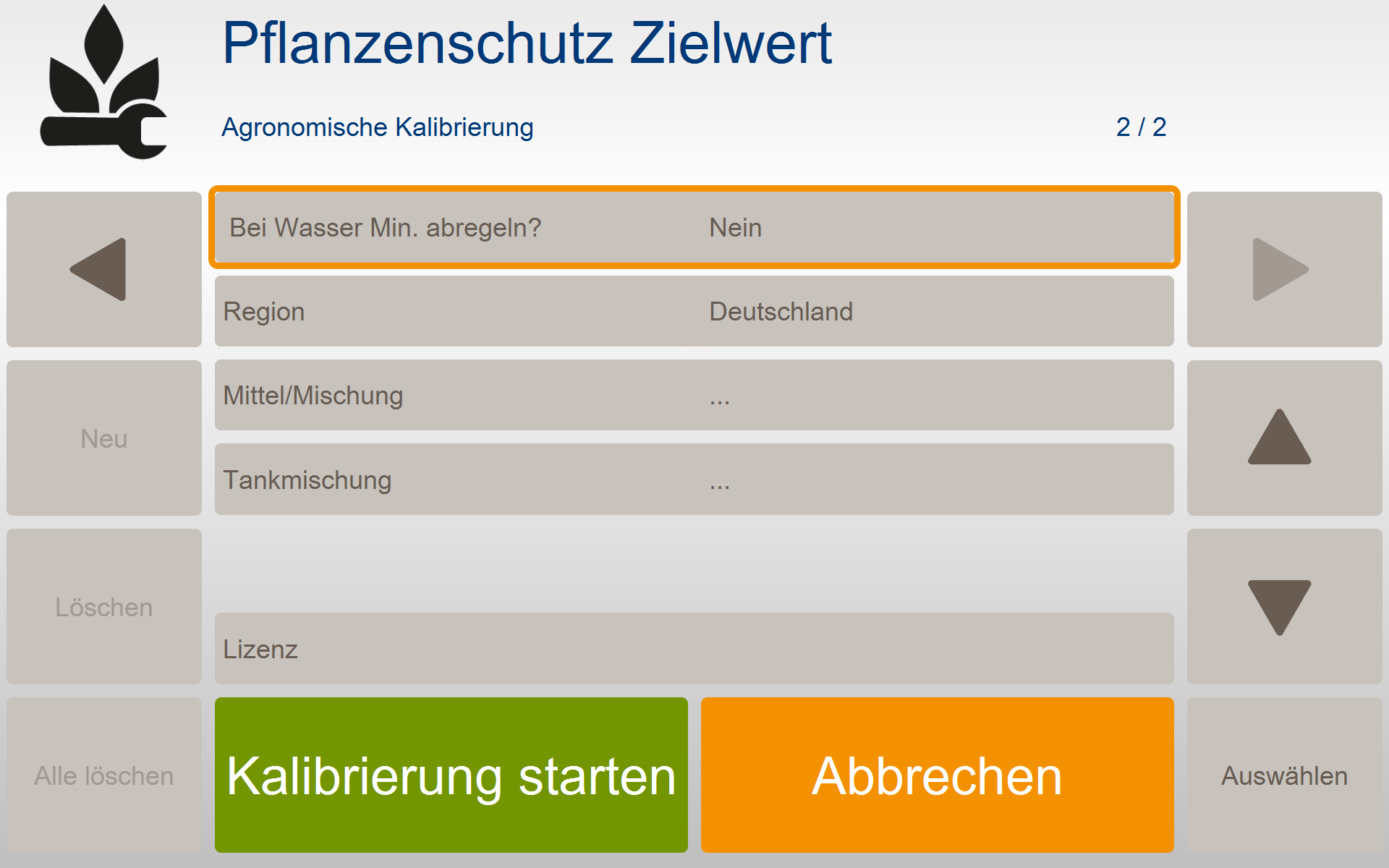
  • Drücken Sie "Kalibrierung starten". Die Software springt automatisch in das Arbeitsmenü.
    107PSZ_AK S2.png


  • Drücken Sie "Start", um mit der Applikation zu beginnen, Stopp, um diese zu unterbrechen oder zu beenden.

    Screenshot (85).png


(Info) Flexible Agronomische Kalibrierung Die Daten der Agronomischen Kalibrierung können auch in vorbereiteten Aufträgen jederzeit auf dem Terminal angepasst werden.


(Info) Kalibrierung ist das A und O Sie können bereits ab dem ersten Meter variabel arbeiten. Für eine ordnungsgemäße Kalibrierung empfehlen wir Ihnen jedoch, den Kalibrierprozess nach dem Durchfahren des Vorgewendes zu beenden und neu zu starten. Grund: der Bestand im Vorgewende ist in der Regel nicht repräsentativ und sollte daher für die Bildung des Referenzwertes der Fläche nicht mit verwendet werden.


Nach Abschluss der Applikation können Sie die Daten an agriPORT per email oder USB-Stick versenden. Sie erhalten dann:

  • eine Karte der aktuellen N-Aufnahme der Überfahrt

  • eine Karte der empfohlenen Aufwandmenge zuerst gewählten PSM

  • eine Tabelle mit den durchschnittlichen Aufwandmengen aller in der agronomischen Kalibrierung eingetragenen PSM

  • einen Ausdruck mit angaben zu min- und max - Aufwandmengen aller in der agronomischen Kalibrierung eingetragenen PSM


3.1 Application - with prepared order list with order-specific calibration
  • Press "Agron. Calibr." and go to page 2.

    122PSZ_Startseite mit Kalibrierung.png


  • Press "Start calibration". The software automatically jumps to the work menu.

    107PSZ_AK S2.png


  • Press "Start" to start the application, Stop to interrupt or end it.

    Screenshot (85).png


(Info) Flexible agronomic calibration The data of the agronomic calibration can also be adjusted in the prepared orders at any time on the terminal.


(Info) Calibration is the be-all and end-all You can work variably from the first meter. However, for proper calibration, we recommend that you end and restart the calibration process after driving through the headlands. Reason: the stock in the headlands is usually not representative and should therefore not be used to form the reference value for the area.


After completing the application, you can send the data to agriPORT by email or USB stick. You will then receive:

  • a map of the current N image of the crossing

  • a map of the recommended application rate first selected PSM

  • a table with the average application rates of all PSM entered in the agronomic calibration

  • a printout with details of min and max application rates of all PSM entered in the agronomic calibration